Document management on your terms.
Sync, search, and organize your documents across your computers — no cloud required, your data stays yours.
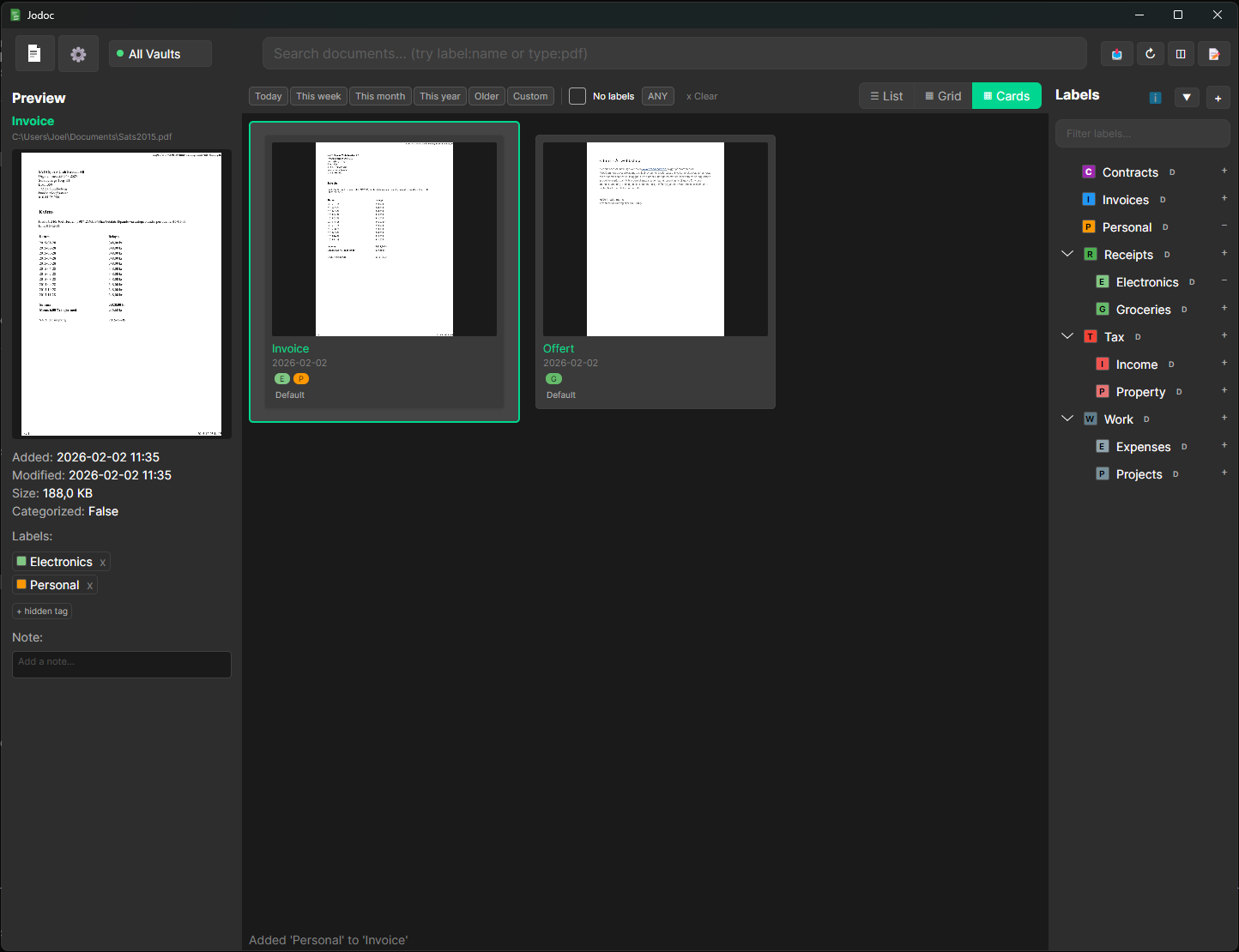
No cloud lock-in — your files stay on your own hardware.
Everything you need to manage documents
Imagine all your papers — receipts, contracts, manuals, your kids' school stuff — searchable on your computer. Not just by filename, but by the actual text inside. Jodoc scans, tags, and organizes automatically, so you find the right document in seconds instead of digging through folders.
Unlike a regular cloud drive, you get powerful search and smart organization — without handing your data to someone else. And just like the cloud, everything syncs automatically between your devices and works offline. But on your own hardware, under your control.
Low cost, no recurring fees. Some components are completely free, others have a small one-time cost to support development.
Search everything
Find any document by the text inside it, not just the filename. Built-in OCR makes even scanned papers searchable in seconds.
Sync between devices
Run a server on your NAS or home computer and your documents follow you everywhere. Works great with Synology, TrueNAS, or any home server.
Tags & filters
Create your own tags and filter documents instantly. Combine tags to find exactly what you need, like "receipts" + "2024".
Share with family
Give each family member their own vault, or share one across home computers. Receipts, school papers, manuals — all in one place.
Organize automatically
Scanned documents from your physical scanner get picked up, OCR-processed, and filed automatically. The paper pile on your desk? Gone.
Your data, your control
Everything stays on your own hardware. No cloud, no subscriptions, no data mining. Works fully offline.
See it in action
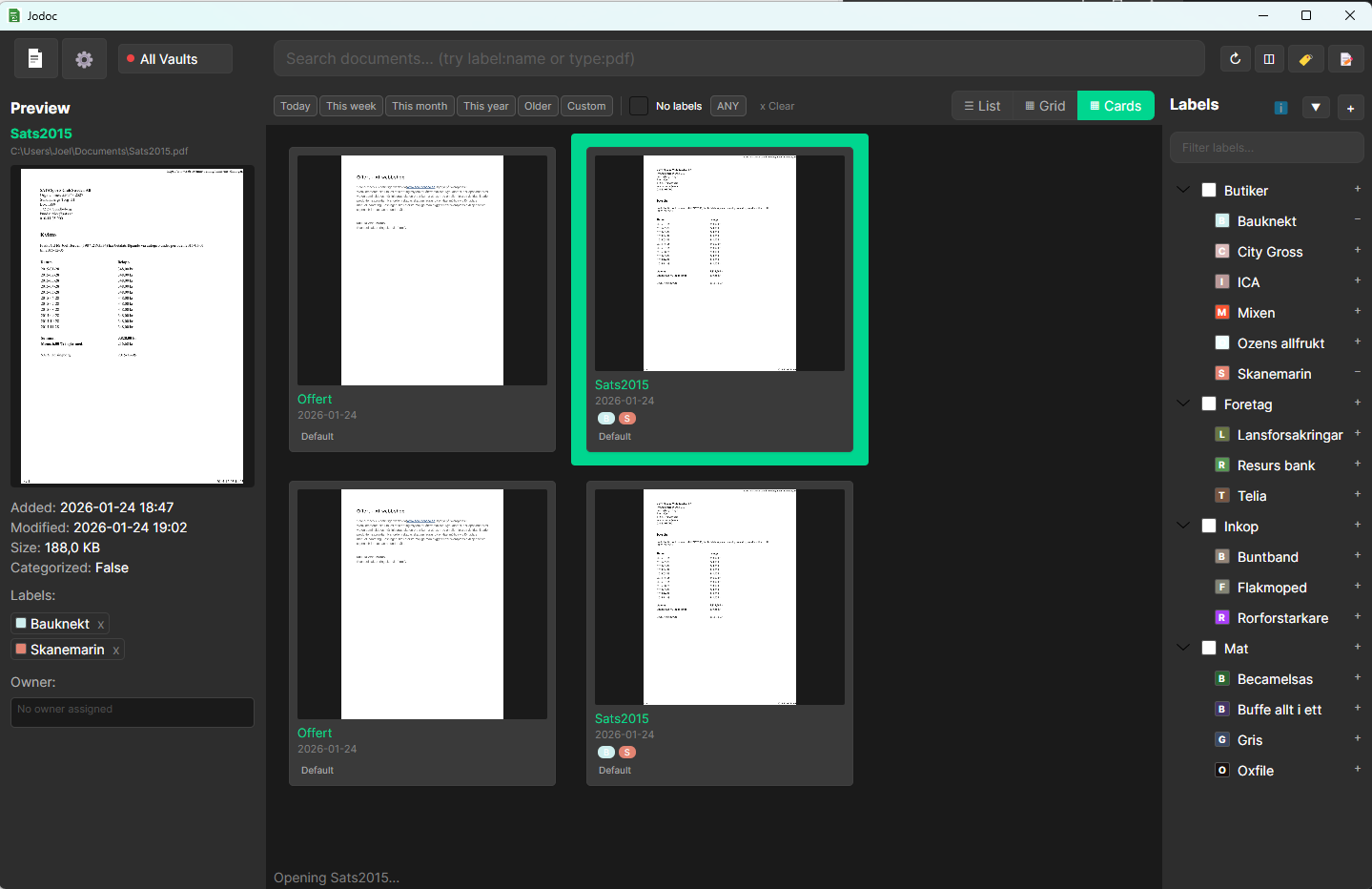
Your document library
All your documents in one searchable place.
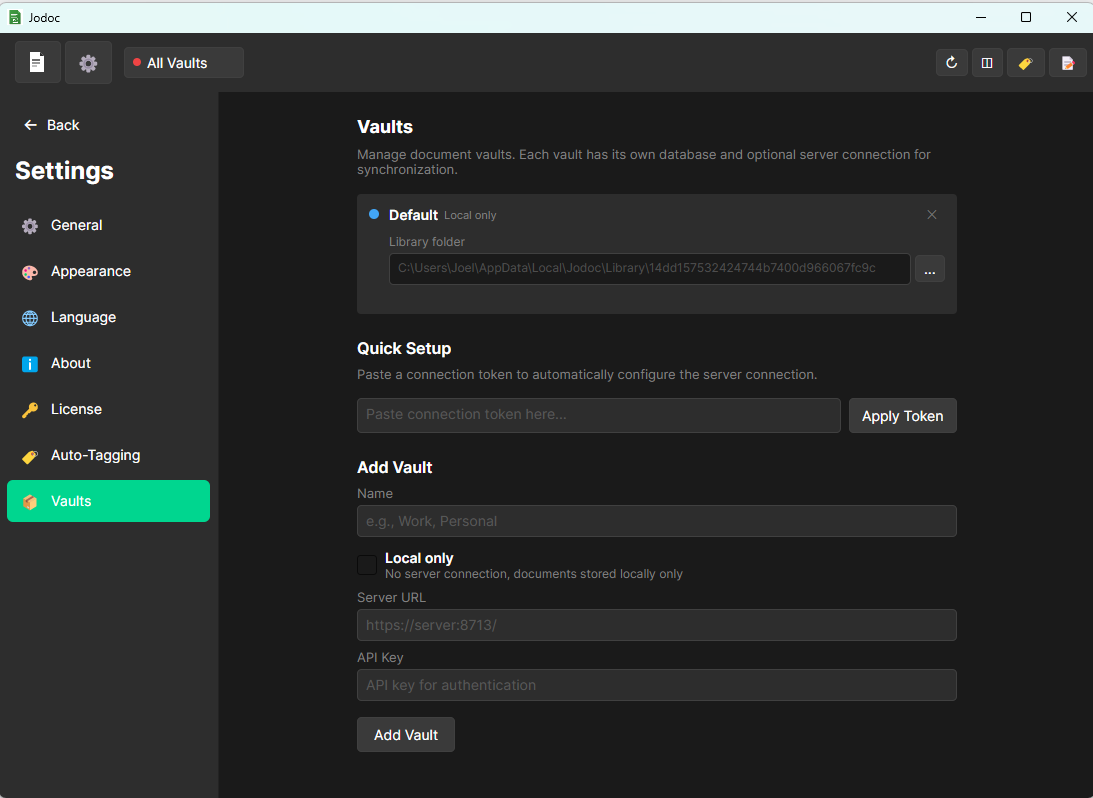
Sync settings
Connect to your server with a few clicks.
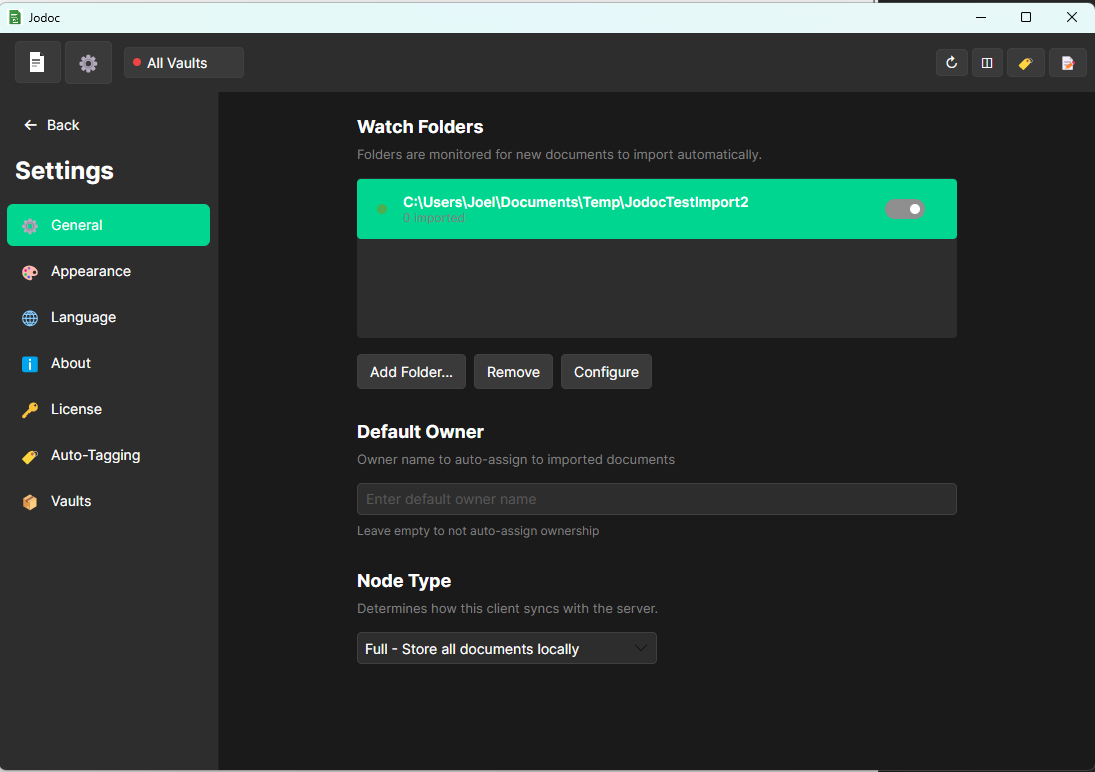
Watch folders
Set up automatic import from any folder.
How it works
You can run Jodoc as a standalone client on a single computer, or set up a server to sync between multiple devices. Switch computers and just install the client again — all your documents come with you.
The server: your network hub
Install the Jodoc server on your NAS, home server, or any computer. It manages the document index, handles OCR processing, and keeps everything in sync. Server offline? No problem, sync happens next time it starts.
The clients — on every computer
Install the client on any computer where you want access to your documents. It connects to the server automatically over your local network — no configuration needed.
The sync — fast and local
All full nodes receive all documents automatically. On each machine, you choose whether original files stay where you put them or get moved into the Jodoc archive. Everything happens on your own network, nothing goes to the cloud.
Ready to organize your documents?
Download Jodoc and get started in minutes. No account required.